Introduction
Multi-currency WooCommerce stores often show prices in a shopper’s currency while the merchant account settles in one home currency. That gap drives FX spreads, refund surprises, analytics drift, and support tickets (“I was charged a different amount on my statement”).
This guide clarifies display, charge, and settlement layers—deeper than the overview in international payments and currency on WooCommerce. Pair with payment gateway TCO, billing descriptors, and India vs global gateways.
Quick answer
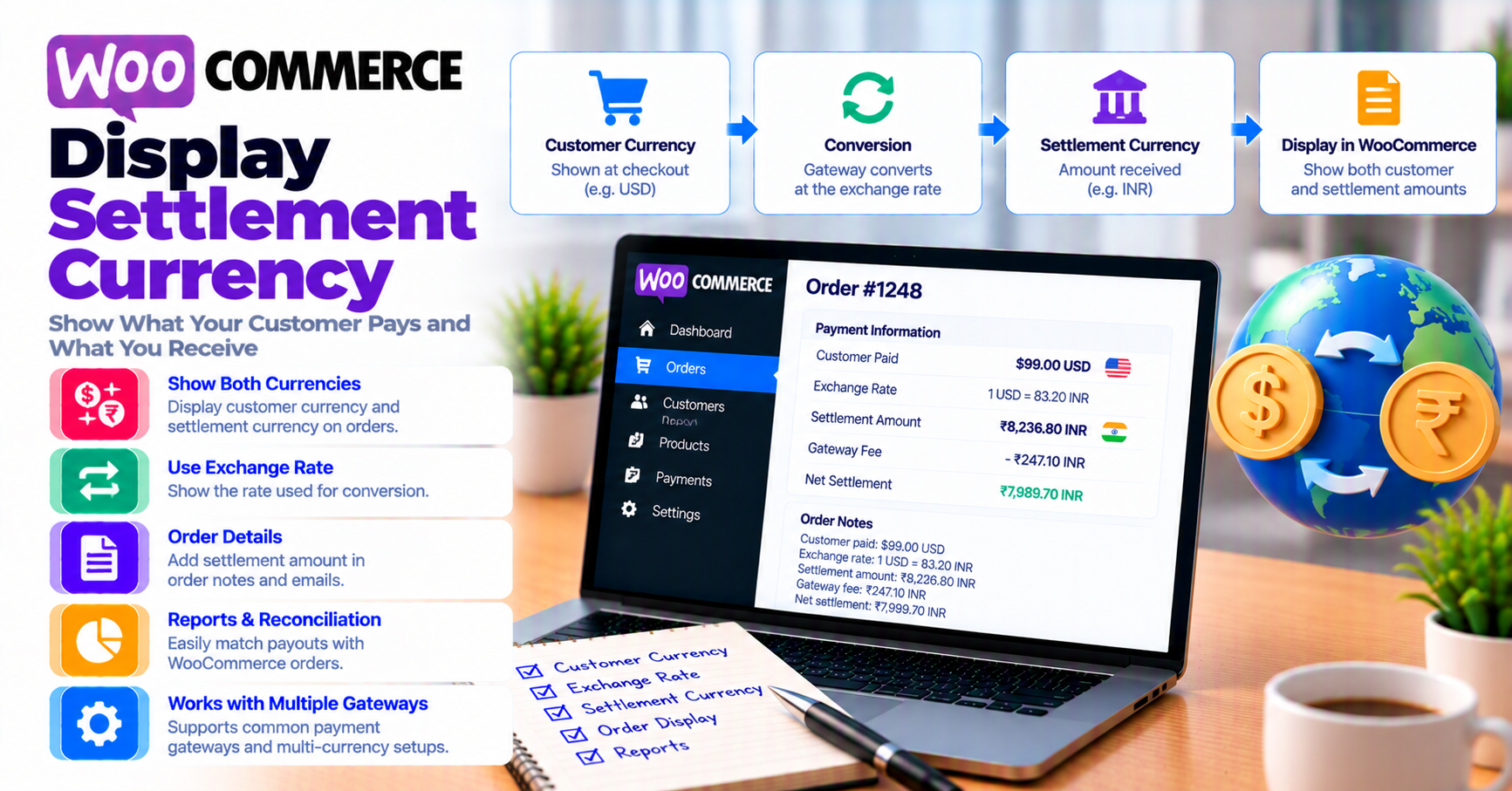
Display currency is what the customer sees; charge currency is what the gateway submits to the network; settlement currency is what lands in your bank. They can differ. Document all three in runbooks, test refunds in the original charge currency, and reconcile reports in settlement currency—not Woo’s display alone.
1. Definitions merchants confuse
| Term | Meaning |
|---|---|
| Store currency | WooCommerce base setting |
| Presentment / display | Price shown via multi-currency plugin |
| Charge currency | Amount/currency sent in auth request |
| Settlement currency | Payout to merchant account |
A €100 display price might charge €100 but settle as $108 equivalent minus FX fee—support must not quote display amounts when reading bank deposits.
2. How gateways handle FX
Patterns:
- Charge and settle in store currency — shopper’s bank converts (issuer FX)
- Dynamic currency conversion (DCC) — gateway converts at checkout (often worse for shopper)
- Multi-currency processing — merchant holds balances per currency (contract-dependent)
Read processor docs for refund FX policy: some refund original charge amount, others use spot rate at refund time—impacts margin on volatile pairs.
3. WooCommerce configuration pitfalls
- Currency switcher plugin shows USD but gateway still charges GBP
- Rounding per currency breaks tax and shipping totals
- Subscription renewals lock to initial currency (subscriptions)
- BNPL and wallets limited to certain currencies (BNPL, wallets)
Validate on staging with staging vs production testing using non-USD sandbox cards when available.
4. Refunds, chargebacks, and accounting
Finance needs one source of truth:
- Gateway settlement reports (settlement currency)
- Woo order totals (often display/store currency)
- ERP FX rates for month-end
Misalignment inflates refund reconciliation time. Chargebacks may arrive in settlement currency with separate fees (chargebacks vs refunds).
5. Testing multi-currency checkout
Matrix:
| Test | Pass |
|---|---|
| Browse in CAD, pay with CA card | Charge currency matches expectation |
| Browse in EUR, pay with US card | Document issuer FX vs DCC |
| Partial refund | Woo + gateway amounts align |
| Webhook payload currency | Matches auth (order status mapping) |
Log gateway transaction IDs with currency code—see PCI-safe logging.
FAQ
Should I enable DCC for convenience?
Often no for shopper trust unless you disclose rates—test conversion completion.
Does Woo multi-currency plugin pick settlement currency?
No—that is processor account configuration.
How does this affect TCO?
Add FX spread line item—see TCO article.