Introduction
- Introduction
- Quick answer
- 1. Classic vs Blocks: why gateways behave differently
- 2. Theme, caching, and optimization plugins
- 3. Testing matrix (minimum)
- 4. Debugging: when Blocks fail but classic works
- 5. SSL, mixed content, and wallets
- 6. Post-update regression routine
- 7. When to get help
- FAQ
- Related reading
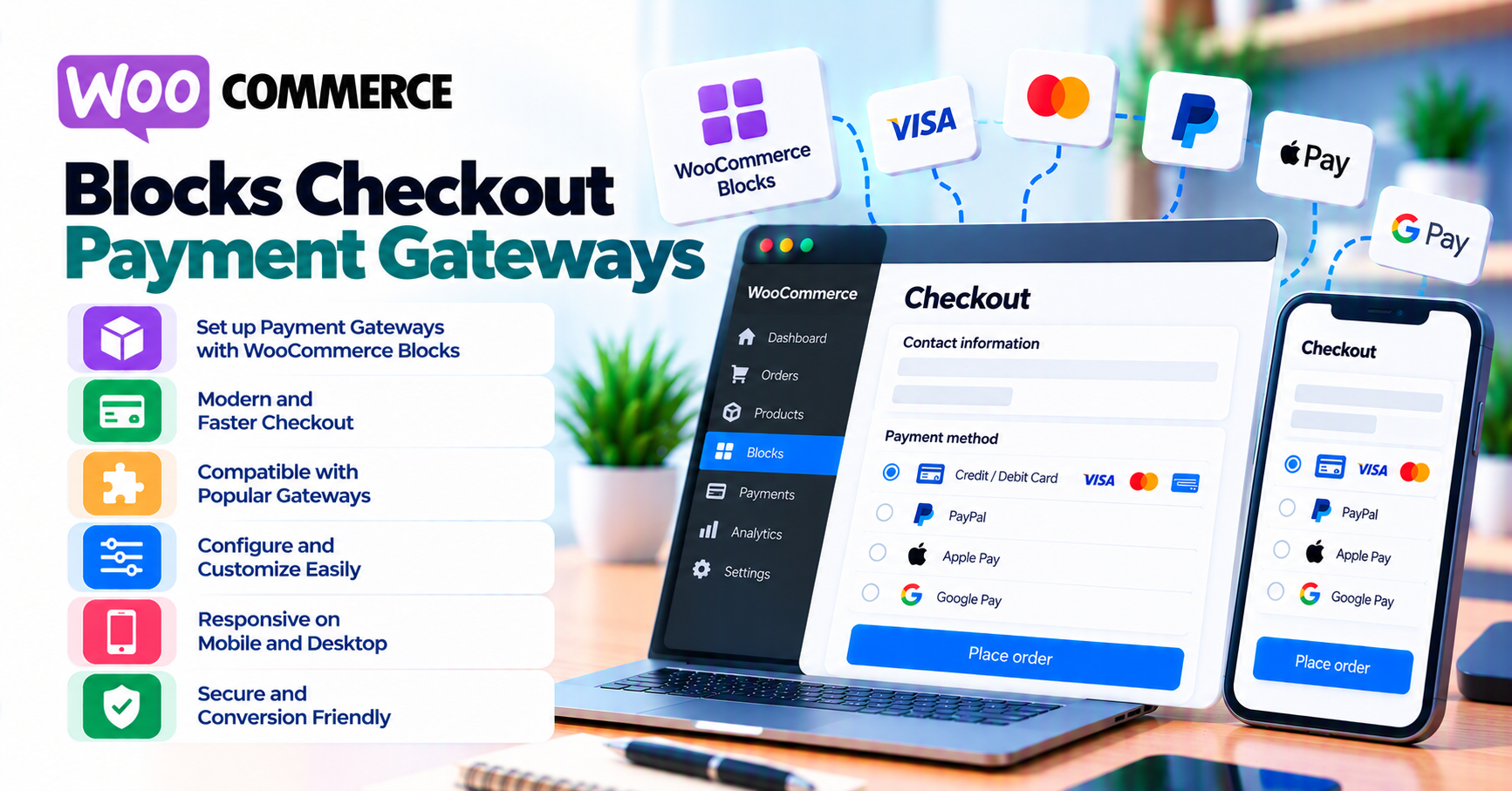
WooCommerce supports classic checkout (shortcode) and Blocks checkout (Cart and Checkout blocks). Payment gateway plugins must integrate with the checkout block APIs and Store API flows—not only the legacy hooks many extensions were originally built for.
If your store uses Blocks, treat gateway behavior as a first-class test target whenever WooCommerce, the gateway plugin, PHP, or the theme updates. A payment method that worked on classic checkout can still fail to initialize, tokenize, or redirect correctly on Blocks because the integration surface is different.
This guide explains what typically breaks, what to verify, and how to narrow issues before you open a priority ticket on launch week. Pair it with the WooCommerce payment gateway integration checklist and common WooCommerce payment gateway mistakes.
Quick answer
Blocks checkout uses React-based UI and different integration points than classic checkout. Your gateway plugin must explicitly support Checkout block compatibility for your WooCommerce version. After any material update, run sandbox payments for each enabled method, confirm webhooks still update order status (webhook monitoring), and retest mobile browsers—not only desktop.
1. Classic vs Blocks: why gateways behave differently
Classic checkout relies on PHP templates and long-standing actions and filters that gateway authors have used for years. Blocks checkout composes the experience from blocks, inner blocks, and Store API requests. Payment methods may register through different JavaScript entry points, and express payment methods (wallets) have their own initialization lifecycle.
Gateways that only patch classic flows can exhibit:
- Payment methods that never appear or never initialize on block checkout
- Express buttons (Apple Pay, Google Pay) missing, duplicated, or misaligned
- Validation differences for required fields or custom checkout fields
- Race conditions between client-side totals and server-side session data when optimization plugins interfere
Always check your gateway plugin readme, changelog, and support notes for Blocks / Cart block / Checkout block support and tested WooCommerce version ranges—the same rigor as how to evaluate payment gateway plugins.
2. Theme, caching, and optimization plugins
Blocks checkout is JavaScript-heavy. Full-page caching, aggressive minify bundles, defer scripts, or delay JS features can break checkout in ways that feel random (intermittent “payment method unavailable” states).
Hardening steps:
- Exclude cart, checkout, add-to-cart, my-account, and known REST / Store API paths from cache—exact paths depend on your host and plugin.
- After enabling a new “performance” plugin, run the testing matrix below before you call the migration done.
- Test logged-in and guest flows; some issues only appear for one session type.
This overlaps with mistake #4 in common WooCommerce payment gateway mistakes (caching breaking checkout).
3. Testing matrix (minimum)
| Scenario | What to watch |
|---|---|
| Happy path card payment | Order moves to processing / completed per your rules |
| Wallet / redirect (if used) | Customer return URL and webhook / async completion |
| Decline | Customer-visible error; order failed / cancelled per policy |
| Partial failures | User closes tab mid-redirect—webhook still settles payment |
| Blocks + mobile Safari / Chrome | Script load, 3DS challenge, wallet buttons |
If Blocks fail but classic works on staging with the same gateway keys, treat that as a compatibility or JS conflict signal—not “core WooCommerce is broken.” Switching temporarily to a default theme on staging is still a valid isolation step (same approach as classic checkout debugging).
4. Debugging: when Blocks fail but classic works
Systematic order:
- Confirm WooCommerce + gateway plugin versions match documented compatibility.
- Disable nonessential plugins except WooCommerce + gateway; retest Blocks.
- Check browser console for blocked scripts, CORS, or mixed content.
- Compare checkout page: shortcode vs block—ensure you are not mixing incompatible custom checkout plugins.
Document findings in your runbook so the next major Woo release does not start from zero.
5. SSL, mixed content, and wallets
Wallet buttons and some iframe-based fields require a secure context. Mixed content (HTTP assets on an HTTPS page) can prevent payment request APIs from working. Fix HTTPS and canonical URL issues before blaming the gateway—see WooCommerce insecure checkout and SSL fixes and digital wallets on WooCommerce.
6. Post-update regression routine
After WooCommerce minor/major updates, gateway plugin updates, or Blocks package updates:
- Run one sandbox payment per method on staging, then repeat on production during a quiet window if staging cannot mirror processors fully.
- Spot-check refund from Woo admin if your integration supports it.
- Verify webhook delivery or order notes for async events.
Link this routine to webhook monitoring for WooCommerce for ongoing operations.
7. When to get help
If you need custom checkout behavior, headless flows, or a processor without maintained Blocks support, scope custom payment gateway integration or browse WooCommerce payment gateways. For purchasing decisions, see buying a payment gateway plugin for WordPress.
FAQ
Should I use Blocks or classic checkout?
Choose based on theme roadmap and gateway support—not hype. Unsupported gateways on Blocks cost more in incidents than classic checkout “looks older.”
Does Blocks change PCI scope?
Scope depends on how card data flows, not only which checkout UI you use—see PCI scope for merchants.
Why do express buttons disappear after a theme update?
Often JS load order, block markup changes, or HTTPS / domain verification for wallets—retest per digital wallets article.
Related reading
- Hosted vs integrated payment gateways
- Buying a payment gateway plugin for WordPress
- Contact PatSaTECH