Introduction
- Introduction
- 1. Match the plugin to what you already signed with the bank
- 2. License, updates, and support renewals
- 3. Purchase intent: what to test in sandbox before production
- 4. When buying professional installation is worth it
- 5. Red flags that should pause “Buy now”
- 6. After purchase: protect your investment
- 7. Marketplace listings vs vendor sites: what changes for buyers
- 8. Renewals: why “cheap year one” can be expensive year two
- FAQ
- Related reading
“Add to cart” on a WordPress payment extension feels fast. The expensive part is what happens after install: misconfigured webhooks, currency mismatches, or a gateway that does not support your recurring model the way your business actually bills.
This guide is written for merchants and agencies who are ready to buy but want a pre-purchase checklist that matches how serious integrators evaluate risk. It complements our vendor-neutral how to evaluate payment gateway plugins and the strategic fork in payment gateway plugin vs custom integration.
When you have a shortlist, browse proven extensions in the PatSaTECH shop—for example WooCommerce payment gateways, Easy Digital Downloads, or Gravity Forms.
1. Match the plugin to what you already signed with the bank
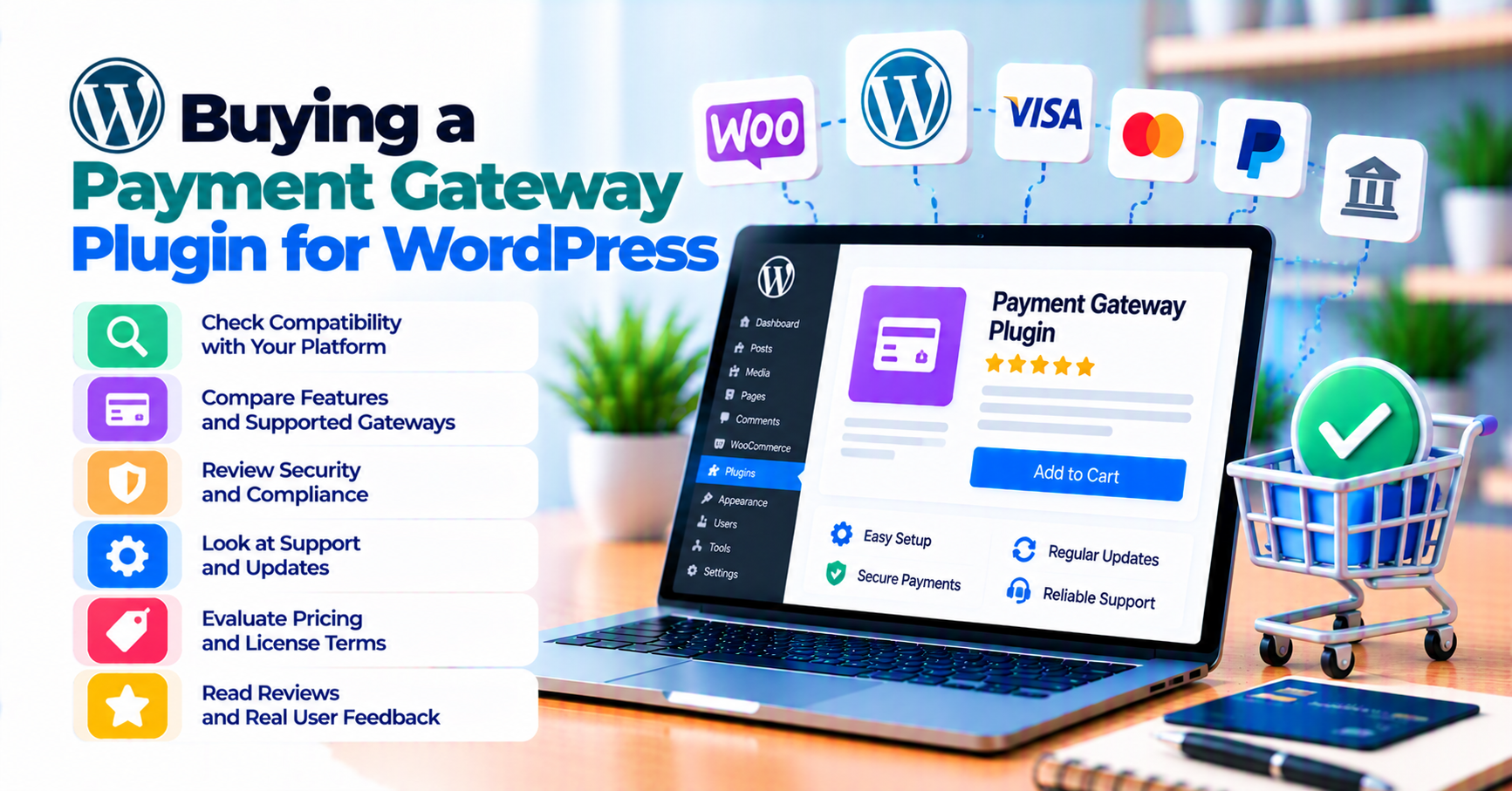
Plugins are not interchangeable labels. Your merchant account, processor, and gateway product (e.g. redirect vs direct API) must match what the plugin implements.
Before you pay, verify on the product page or documentation:
- Exact processor name and integration type (not “works with major gateways”).
- Countries and currencies you will use at go-live.
- Capture model: auth+capture vs sale, if your operations depend on it.
If you cannot confirm these in writing, pause the purchase and ask the vendor—or consider custom payment gateway integration when no maintained extension exists.
2. License, updates, and support renewals
Commercial plugins often use annual licenses for updates and support. Before checkout:
- Understand what happens when the license expires (security updates, compatibility with new WooCommerce versions).
- Check whether support covers configuration only or also edge cases (webhook failures, partial refunds).
Skimping on renewals sometimes saves a few hundred dollars and costs far more in downtime or chargebacks. For a broader TCO view, see the comparison table in plugin vs custom integration.
3. Purchase intent: what to test in sandbox before production
Treat pre-purchase demo or sandbox access as part of the buying decision:
| Test | Why buyers care |
|---|---|
| Successful payment | Baseline—everyone tests this |
| Decline / insufficient funds | Reveals error messaging and order state |
| Customer closes browser early | Exposes reliance on webhooks |
| Partial refund | Finance teams hit this in week one |
| Subscription renewal (if applicable) | Where “it worked once” stores fail |
Use how to test your payment gateway like a pro and WooCommerce payment gateway integration checklist as operational backups.
4. When buying professional installation is worth it
If your team is small or your launch window is tight, paid installation can be cheaper than debugging SSL, webhooks, and cache exclusions under pressure. PatSaTECH offers plugin installation support for scoped setups—pair with your own runbook for post-launch monitoring (webhook monitoring).
5. Red flags that should pause “Buy now”
- No changelog in the last 12–24 months while the processor API changed.
- Vague PCI or checkout description (“secure checkout” with no hosted vs integrated clarity).
- No documented webhook behavior.
- Reviews that repeatedly mention abandoned support—verify against your need for ongoing compliance.
For troubleshooting patterns after purchase, see common WooCommerce payment gateway mistakes.
6. After purchase: protect your investment
- Document sandbox and live key locations and who may rotate them.
- Exclude checkout from aggressive caching—see SSL and insecure checkout if wallets break after “optimization.”
- Align refund procedure between Woo admin and gateway—see chargebacks vs refunds.
7. Marketplace listings vs vendor sites: what changes for buyers
You may buy a payment gateway extension from a marketplace (for example WooCommerce.com) or directly from a vendor’s shop. The software may be identical; what changes is distribution, update notifications, and sometimes support routing.
Buyer checklist:
- Update channel: Where do security and compatibility fixes appear first?
- Refund window: Digital goods policies differ—read terms before checkout.
- Identity: Confirm you are on the real vendor domain before entering payment for premium plugins—phishing targets high-intent ecommerce searches.
None of this replaces technical validation—still run the sandbox matrix in section 3 (the table above).
8. Renewals: why “cheap year one” can be expensive year two
Many WordPress payment plugins are subscription-priced for updates and support. If you skip renewals to save money, you may still accept live payments on an unpatched integration when WooCommerce or PHP changes—risk is not evenly distributed across store sizes.
High-volume stores should treat gateway plugin maintenance as operational spend, not “IT discretionary.” Tie renewal decisions to incident history: if you have never had a webhook failure, you still need up-to-date compatibility when the processor changes an API.
FAQ
Should I buy from the vendor directly or a marketplace?
Either can be fine—prioritize update channel, support, and refund policy clarity. What matters is authentic distribution and verifiable changelog cadence.
Is the cheapest plugin the best value?
Usually no if it lacks recurring support you will need next quarter, or if support response time does not match your revenue at risk.
When should I request a custom quote instead?
If your processor is unsupported, you need split payouts, or headless architecture—use get a quote with API docs and a test plan.
Do I need separate plugins for WooCommerce and EDD?
Usually yes if you run both carts—payment integrations are not universally interchangeable. For EDD, start from EDD payment setup for digital products.
How do I prioritize which extension to buy first?
Prioritize the stack that touches most revenue first, then standardize webhook monitoring and refund procedures across carts so finance does not maintain two mental models.
Related reading
- How to evaluate payment gateway plugins
- WooCommerce payment gateway integration checklist
- Payment gateway glossary
- EDD payment setup for digital products
- Choosing a Gravity Forms payment add-on
- Contact PatSaTECH