Introduction
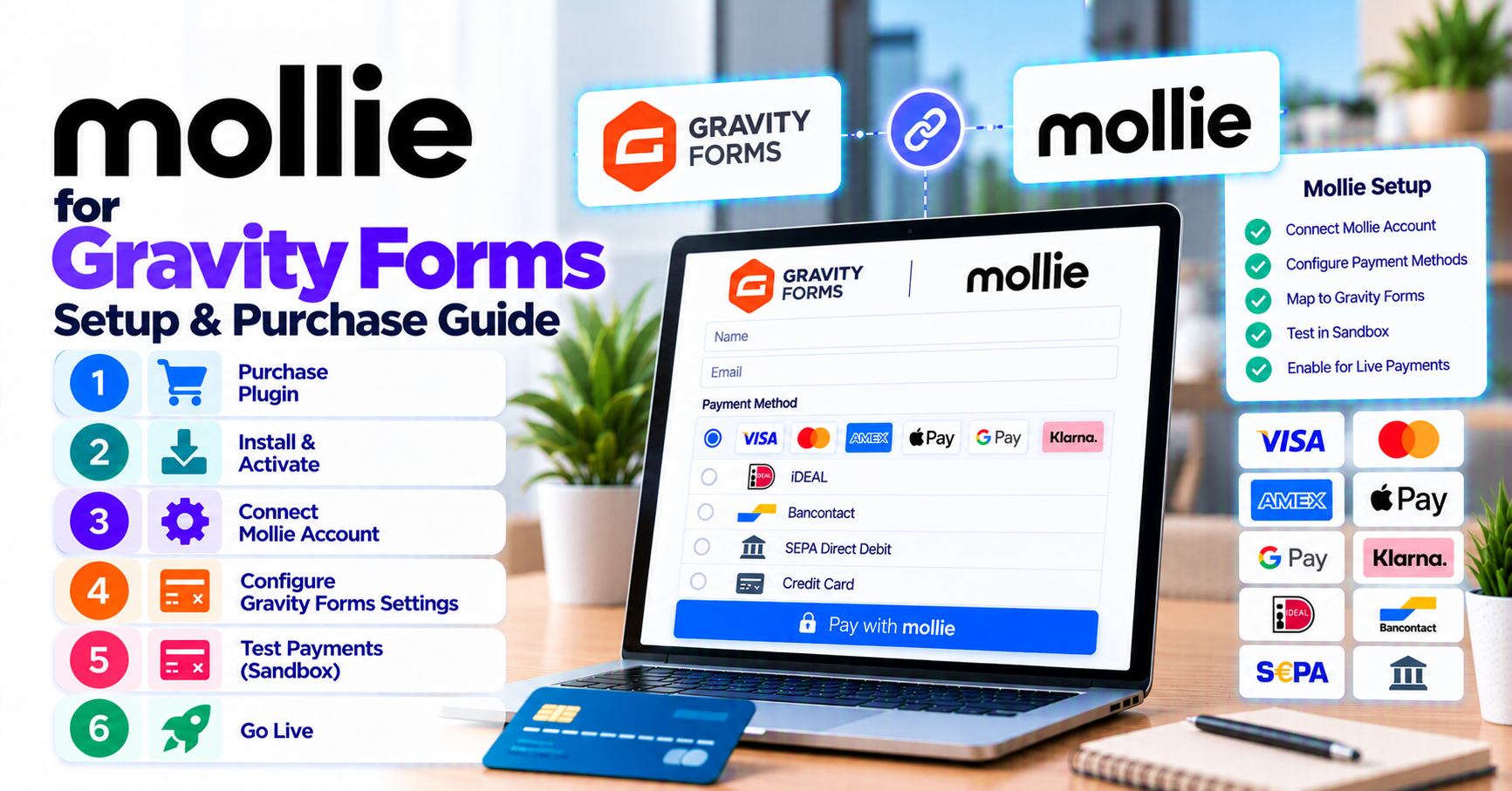
This is the buy-and-configure guide for PatSaTECH’s Mollie integration. Read why buy Mollie for Gravity Forms if you are still comparing processors; return here when you are ready to add to cart and go live.
1. Pre-purchase checklist
| Verify | Source |
|---|---|
| Mollie account approved for your website | Mollie Dashboard |
| Payment methods enabled (iDEAL, Bancontact, cards, etc.) | Mollie → Settings → Website profile |
| Test and live API keys | Developers → API keys |
| Webhook URL allowed on your host | Hosting / SSL |
Align method list with what Mollie Gateway for Gravity Forms documents—do not promise methods Mollie has not activated.
2. How to purchase
- Visit Mollie Gateway for Gravity Forms.
- Complete checkout; save license key for updates.
- Download plugin zip from your PatSaTECH account.
- Add plugin installation support if your agency lacks staging time this sprint.
Review buying a payment gateway plugin for WordPress for renewal expectations.
3. Staging configuration
- Upload and activate the plugin on staging (HTTPS required).
- Gravity Forms → Settings → Mollie: paste test API key.
- In Mollie Dashboard, set Webhook URL to the endpoint shown in plugin settings (or documented path).
- Edit your form → Mollie payment feed: map amount fields, description, redirect/confirmation pages.
- Enable only test methods Mollie provides for QA.
Background: payment gateway webhooks — beginner’s guide.
4. Sandbox test matrix
| Scenario | Expected entry behavior |
|---|---|
| Paid test payment | Entry Paid; Mollie payment ID stored |
| Failed/canceled | Entry not marked paid; user sees clear message |
| Webhook delayed | Entry eventually syncs—no duplicate charges |
| Multi-page conditional total | Charged amount = final step total |
| Refund in Mollie (if testing) | Document internal finance procedure |
Follow how to test your payment gateway like a pro. For GF-specific recurring flows, extend tests per Gravity Forms recurring payments and gateways.
5. Go-live
- Replace test key with live API key.
- Update Mollie live webhook URL if it differs from staging.
- Run one small live transaction; confirm settlement currency in Mollie matches form.
- Monitor first 48 hours—adapt webhook monitoring practices to Gravity Forms entry reports.
Browse related tools in Gravity Forms payment gateways.
6. Troubleshooting before you blame the form
- 403 on webhook: firewall or security plugin blocking POST—whitelist Mollie IPs per their docs.
- Method not shown: not enabled in Mollie profile or wrong currency.
- Paid in Mollie, pending in GF: webhook URL or SSL mismatch—retest with logging (no card data).
Escalate to plugin installation support or get a quote for multi-form rollouts.
7. Common Mollie + GF mistakes
| Mistake | Fix |
|---|---|
| Test key left on production after launch | Immediate live failure or wrong dashboard |
| Webhook blocked by firewall | Whitelist Mollie per their docs |
| Method enabled in marketing but not Mollie profile | Enable in dashboard first |
| iDEAL untested on mobile | Test on device + cellular |
| Cached confirmation page | Exclude from cache plugins |
Reference woocommerce-common-payment-gateway-mistakes when training junior implementers.
8. License renewals and updates
Active PatSaTECH license keeps you on supported builds when Mollie deprecates fields or Gravity Forms changes feed APIs. Treat renewals as mandatory ops spend—see buying a payment gateway plugin for WordPress.
Purchase Mollie Gateway for Gravity Forms →
FAQ
Where is the official purchase link?
Mollie Gateway for Gravity Forms.
Do I need Gravity Forms Elite?
Confirm your GF license includes payment add-ons—Gravity Forms sets tier requirements.
Can one Mollie account serve multiple forms?
Usually yes—separate feeds per form; one API key in settings.
Does this configure VAT?
Tax display is your form/accounting logic; the gateway charges the total you pass.
SEPA Direct Debit on forms?
Enable in Mollie profile and test mandate flows if you sell EU memberships—see Gravity Forms recurring payments.
Multisite agencies?
Confirm license coverage for client count; standardize webhook URLs per environment.
Launch timeline?
With test keys ready, many Benelux sites go live within one sprint—budget extra time for iDEAL mobile QA.
Related reading
- Mollie Gateway for Gravity Forms — buy now
- Why buy Mollie for Gravity Forms
- Choosing a Gravity Forms payment add-on
- How to evaluate payment gateway plugins
- When to buy plugin installation support