Introduction
- Introduction
- 1. Product overview
- 2. What is in scope
- 3. What is out of scope (unless quoted separately)
- 4. Before you add to cart
- 5. How to purchase (checkout steps)
- 6. What happens after purchase
- 7. Sandbox matrix you still run
- 8. Pricing and scope adjustments
- 9. After handoff: renewals and updates
- FAQ
- Related reading
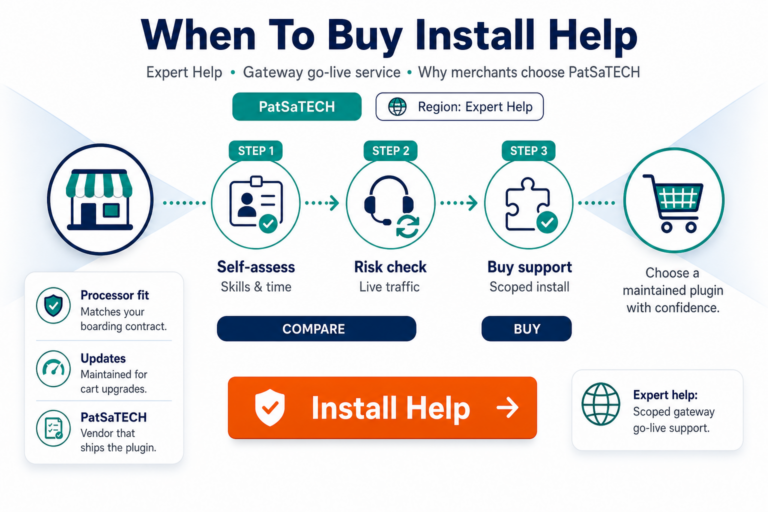
Knowing when to buy installation support is step one—see when to buy plugin installation support. This guide is step two: what you are purchasing, how to scope the work, and how checkout on PatSaTECH turns into a configured staging checkout ready for your sandbox matrix.
1. Product overview
Plugin installation support is a paid service (from $50.00, amount field on product page) for:
- Installing PatSaTECH payment gateway extensions
- Configuring sandbox credentials and core payment settings
- Resolving common checkout blockers tied to extension configuration
- Handing off with smoke-test results—not open-ended custom dev
Category: Support Services on patsatech.com.
Guarantees listed on product page:
- Satisfaction guarantee if we cannot meet documented scoped needs
- Support guarantee for expert assistance through setup
2. What is in scope
Typical deliverables when paired with a PatSaTECH gateway product:
| In scope | Examples |
|---|---|
| Extension install | Upload/enable module or plugin on staging (or production if requested) |
| Sandbox configuration | NMI / PymtPro / other PatSaTECH extension modes, keys, titles |
| Payment method visibility | Correct store / website / shop scope in Magento, PrestaShop, WooCommerce, AbanteCart |
| Baseline smoke tests | Successful sandbox transaction + one decline scenario |
| Logging hygiene | Enable for setup; recommend production logging levels |
| Documentation handoff | What was changed; what merchant must test before live |
Platforms commonly supported: WordPress (WooCommerce, EDD, Gravity Forms), Magento, PrestaShop, AbanteCart—when using PatSaTECH gateway SKUs from the shop.
3. What is out of scope (unless quoted separately)
- Custom theme development or checkout redesign
- Processor account activation (KYC, MID boarding)
- Non-PatSaTECH plugins unless agreed in writing
- Performance audits unrelated to payment method enablement
- Unlimited post-launch support—ongoing work may need retainer or custom integration
- Live go-live without your explicit approval after sandbox sign-off
If your need includes API features not in the catalog extension, use get a quote instead of forcing install support into custom dev.
4. Before you add to cart
Prepare:
- PatSaTECH gateway plugin purchased (or in same cart)—e.g. NMI for Magento, NMI Collect.js for PrestaShop, WooCommerce gateways.
- Staging site URL with SSL matching checkout behavior.
- Admin credentials or temporary staff account (least privilege).
- Sandbox API keys from processor—PatSaTECH cannot invent these.
- Launch date and timezone for scheduling.
- Single decision-maker for go/no-go on live keys.
Read platform setup promos for parallel DIY checklists—e.g. PymtPro Magento setup, NMI PrestaShop setup.
5. How to purchase (checkout steps)
- Open Plugin installation support.
- Enter amount (minimum $50—higher for multistore or expedited scope if quoted).
- Click Add to cart—combine with gateway plugin in same order when possible.
- At checkout, fill order notes with:
– Platform + version (e.g. Magento 2.4.7, PrestaShop 8.x)
– Exact extension product name and order number
– Staging URL and access method
– Processor (NMI, etc.) and confirmation sandbox keys will be provided
– Desired completion date - Complete payment; watch for PatSaTECH onboarding email if applicable.
- Provide access securely—never post live secrets in public tickets.
6. What happens after purchase
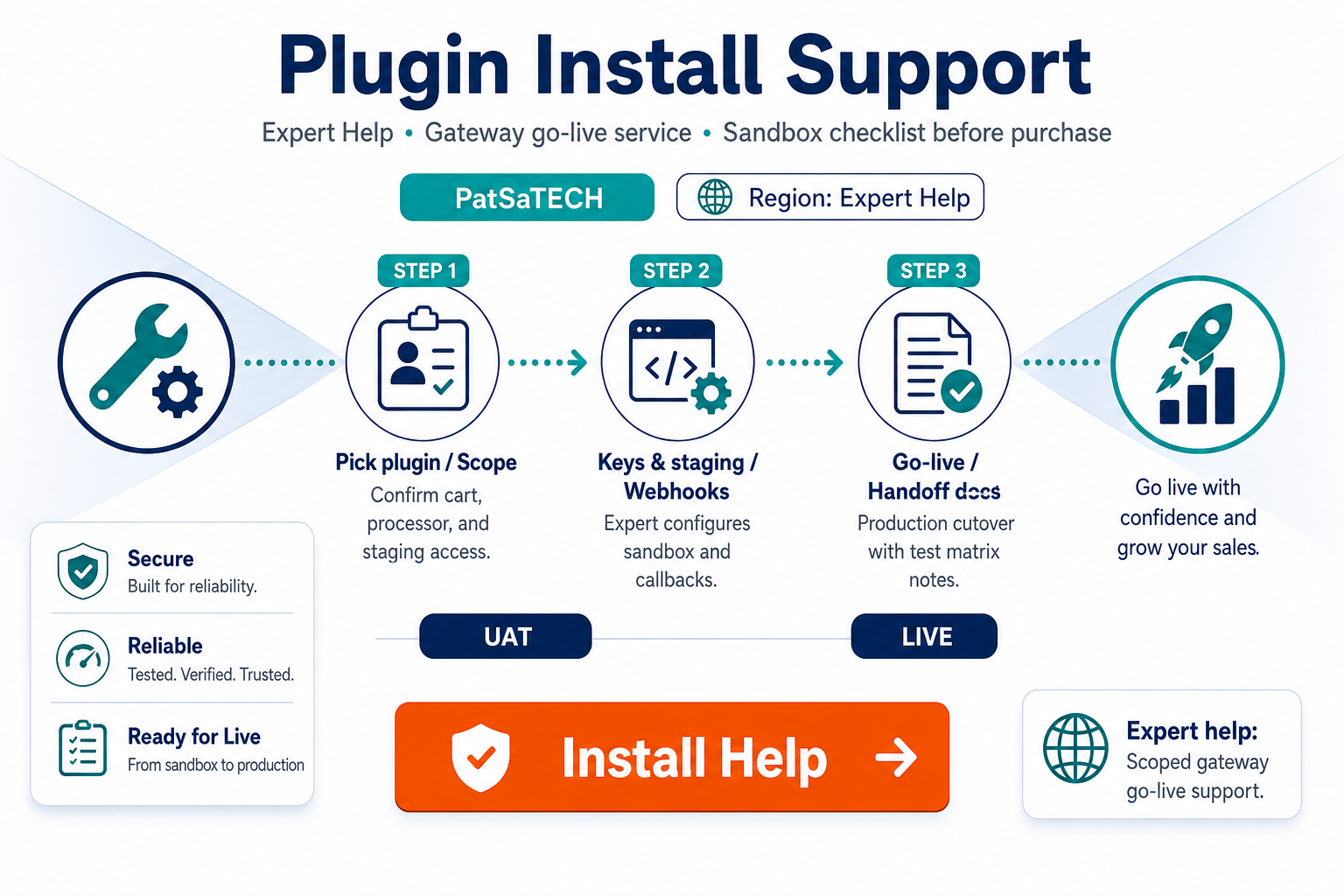
Typical workflow:
- Scope confirmation—PatSaTECH may clarify multistore, theme, or headless constraints.
- Staging install—extension enabled; caches cleared per platform.
- Sandbox configuration—keys, modes, payment action, CVV/3DS as agreed.
- Smoke tests—documented pass/fail for success + decline paths.
- Handoff—you receive summary of settings and your test homework (full matrix).
- Live cutover—either your team swaps keys or you purchase additional scoped live assist.
You remain responsible for business approval before live processing—installation support configures; you own revenue risk.
7. Sandbox matrix you still run
Even with expert install, run broader tests before live:
| Test | Owner |
|---|---|
| Partial refund | Merchant / agency |
| Auth + delayed capture | Merchant / agency |
| 3DS challenge (if enabled) | Merchant / agency |
| Mobile checkout UX | Merchant / agency |
| ERP / fulfillment hook on paid order | Merchant / agency |
Use how to test your payment gateway like a pro as the master list.
8. Pricing and scope adjustments
- Minimum $50 covers straightforward single-store sandbox setup for standard PatSaTECH gateway plugins.
- Multistore, multiple extensions, production-only access, or rush timelines may require higher amount—contact us or get a quote before checkout if unsure.
- Agencies may resell support as a packaged go-live fee—document pass-through for renewals separately.
9. After handoff: renewals and updates
Installation support is one-time for the purchased scope. Plugin license renewals remain required for updates—see buying a payment gateway plugin for WordPress for renewal economics (applies across platforms).
When Magento or PrestaShop core updates ship, re-smoke checkout—even if “payments unchanged.”
FAQ
Can I buy support first and plugin later?
Best practice: plugin + support in one order so licensing and download are confirmed before work starts.
Do you need production access?
Prefer staging; production changes only with written approval and backup plan.
WordPress-only service?
Marketing copy emphasizes WordPress; PatSaTECH supports gateway install on Magento, PrestaShop, and AbanteCart for our extensions—specify platform in notes.
Refunds if scope impossible?
See satisfaction guarantee on product page—communicate blockers early (missing MID, unsupported processor).
24/7 support?
Product marketing mentions expert assistance—confirm SLA for your ticket when scheduling critical launches.
Related reading
- When to buy installation support
- Plugin installation support — product page
- Shop — all gateway plugins
- Payment gateway plugin vs custom integration
- Contact PatSaTECH