Introduction
- Introduction
- 1. Before checkout: Cashfree dashboard items
- 2. Purchase steps
- 3. Plugin configuration
- 4. Test matrix (India-realistic)
- 5. Production cutover
- 6. When to get help
- 7. Common Cashfree + GF mistakes
- 8. Post go-live monitoring (first week)
- 9. Staging sign-off template (copy for your team)
- FAQ
- Related reading
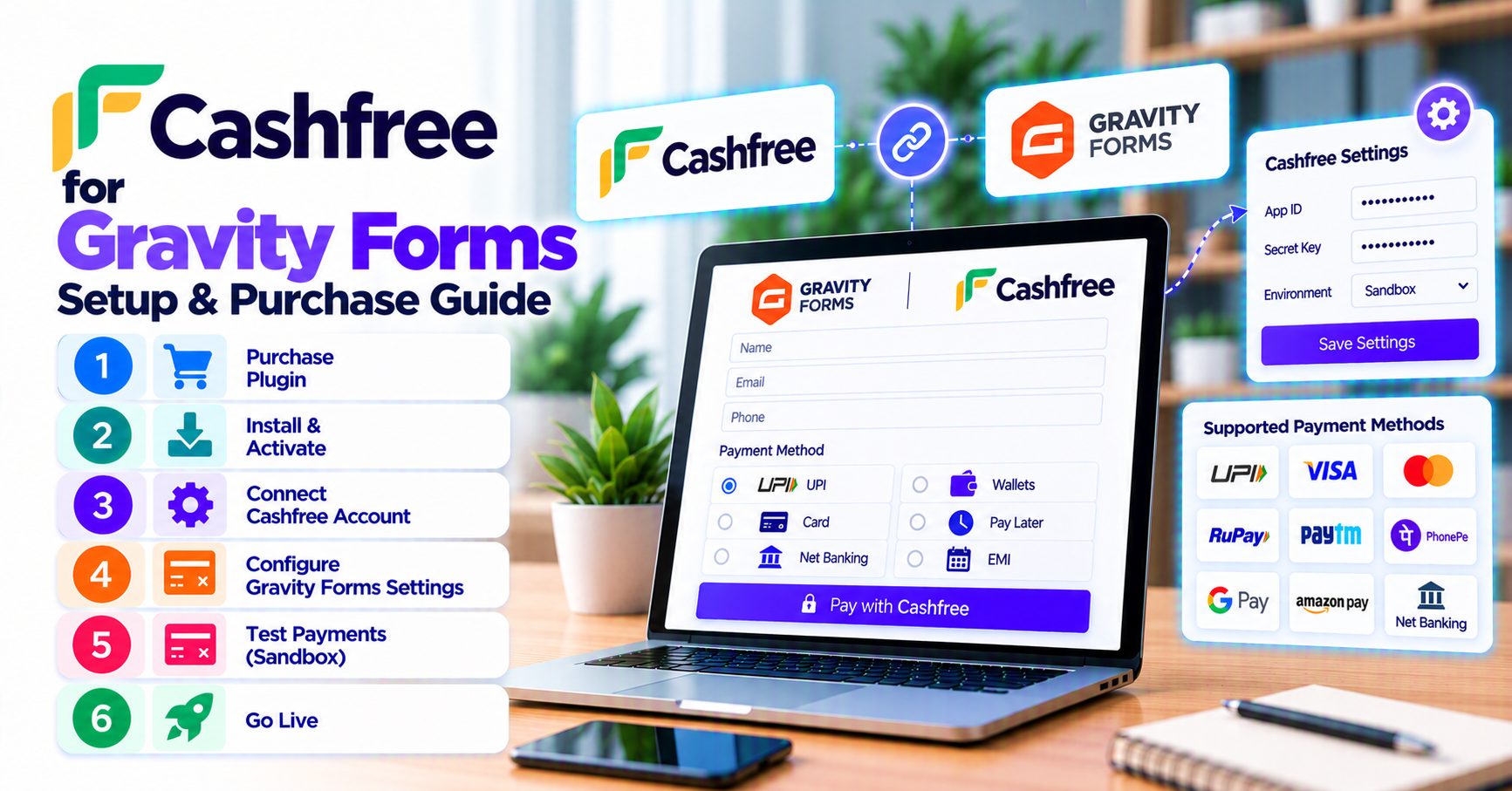
You are past processor selection—this guide covers purchase, configuration, and sandbox testing for PatSaTECH’s Cashfree integration on Gravity Forms. Pair with why buy Cashfree for Gravity Forms for commercial context.
1. Before checkout: Cashfree dashboard items
Collect:
| Credential | Environment |
|---|---|
| App ID | Test + Production |
| Secret key | Test + Production |
| Webhook secret (if applicable) | Both |
| Enabled payment modes | UPI, card, netbanking as approved |
If KYC is incomplete, finish Cashfree onboarding first—plugins cannot bypass processor approval. Cross-check buying a payment gateway plugin for WordPress.
2. Purchase steps
- Open Cashfree Gateway for Gravity Forms.
- Complete PatSaTECH checkout; retain license for updates.
- Download and install on staging.
- Optional: plugin installation support for same-week go-live.
3. Plugin configuration
- Activate plugin; enter test credentials in Gravity Forms payment settings.
- Configure webhook/notify URL in Cashfree Dashboard exactly as plugin docs specify.
- Create payment feed on your form: amount field, order note, success/failure pages.
- Force HTTPS on staging to mirror production redirect behavior.
See payment gateway webhooks — beginner’s guide for async completion theory.
4. Test matrix (India-realistic)
| Test | Why |
|---|---|
| Successful UPI/card | Baseline paid entry |
| User cancels on Cashfree | No false “Paid” |
| Insufficient funds / decline | Support-ready messaging |
| Webhook-only completion | Simulates mobile return loss |
| Conditional total on last page | Prevents under/over charge |
Use how to test your payment gateway like a pro. Never log secrets or full PAN—PCI-safe logging habits apply.
5. Production cutover
- Swap to production App ID and secret.
- Update live webhook URL.
- One small live transaction; verify INR settlement in Cashfree reports.
- Monitor entries 48 hours—treat spikes in “pending” like webhook monitoring incidents.
For recurring plans later, revisit Gravity Forms recurring payments and gateways.
6. When to get help
Engage PatSaTECH installation support or get a quote when:
- Multiple forms share custom CRM hooks on payment.
- You migrate mid-campaign from another gateway.
- Compliance needs a written runbook—see agency payment gateway go-live runbook.
7. Common Cashfree + GF mistakes
| Mistake | Symptom |
|---|---|
| Live keys on staging | Real INR debits during testing |
| Callback URL not HTTPS | Paid in Cashfree, pending in GF |
| Ignoring mobile UPI abandon path | “I paid but form says pending” tickets |
| Page cache on confirmation | User sees success prematurely |
| Skipped license renewal | Plugin stuck after Cashfree API update |
See woocommerce-common-payment-gateway-mistakes for parallel failure modes.
8. Post go-live monitoring (first week)
- Daily pending vs paid entry report.
- Compare Cashfree settlement CSV to GF paid entries.
- Alert on callback HTTP 403 from security plugins.
Purchase Cashfree Gateway for Gravity Forms →
9. Staging sign-off template (copy for your team)
Before production keys, sign off in writing:
- Owner: name + date of sandbox matrix completion.
- Tests passed: success, decline, UPI mobile abandon, webhook-only completion.
- Finance: refund initiation path documented.
- Support: macros for “pending after UPI” tickets with Cashfree order ID request.
- Renewal: PatSaTECH license expiry date in calendar.
This mirrors discipline from agency payment gateway go-live runbook—scaled for a single Cashfree form launch.
Share the sign-off doc with whoever owns Cashfree KYC and Gravity Forms admin access so production promotion is a deliberate meeting, not a Friday-afternoon key swap.
FAQ
Official product URL?
Cashfree Gateway for Gravity Forms.
Test UPI without real money?
Use Cashfree sandbox flows documented in their merchant docs with test keys.
Gravity Forms version?
Run supported GF release; keep PatSaTECH plugin updated.
Also need WooCommerce Cashfree?
Browse shop categories for the correct platform SKU.
How long does Cashfree GF setup take?
Single-form merchants with KYC complete often launch in 3–5 business days including UPI mobile tests.
RBI or compliance sign-off?
PatSaTECH configures software; your compliance team validates Cashfree contract and data handling.
Can we pass GSTIN on the form?
Map custom fields to order metadata if supported—verify in sandbox before finance depends on it.
Related reading
- Cashfree Gateway for Gravity Forms — buy now
- Why buy Cashfree for Gravity Forms
- Choosing a Gravity Forms payment add-on
- How to evaluate payment gateway plugins
- Gravity Forms payment gateways hub