Introduction
CardConnect API on Easy Digital Downloads is not a fifteen-minute toggle. It is credentials, tokenization, capture semantics, and proof that download links appear when the gateway says the payment is good—even if the customer never sees your receipt page.
This transactional guide pairs with why CardConnect API for EDD. When you are satisfied the processor fit is correct, the product page is your purchase CTA. Browse sibling extensions in the EDD category or full shop if CardConnect is not your acquirer.
1. Pre-purchase verification
From your CardConnect / Fiserv paperwork and the PatSaTECH product listing, confirm:
- Merchant ID, API username, and password (or current auth scheme) for sandbox.
- EDD version compatibility and active SSL.
- Capture model (auth+capture vs sale) matches how you fulfill digital goods.
- Currencies and card brands you will accept at launch.
- Production EDD extensions (Recurring, Software Licensing, etc.).
Still comparing processors? Read best payment gateways for digital goods before you commit to this SKU.
2. Purchase, install, enable
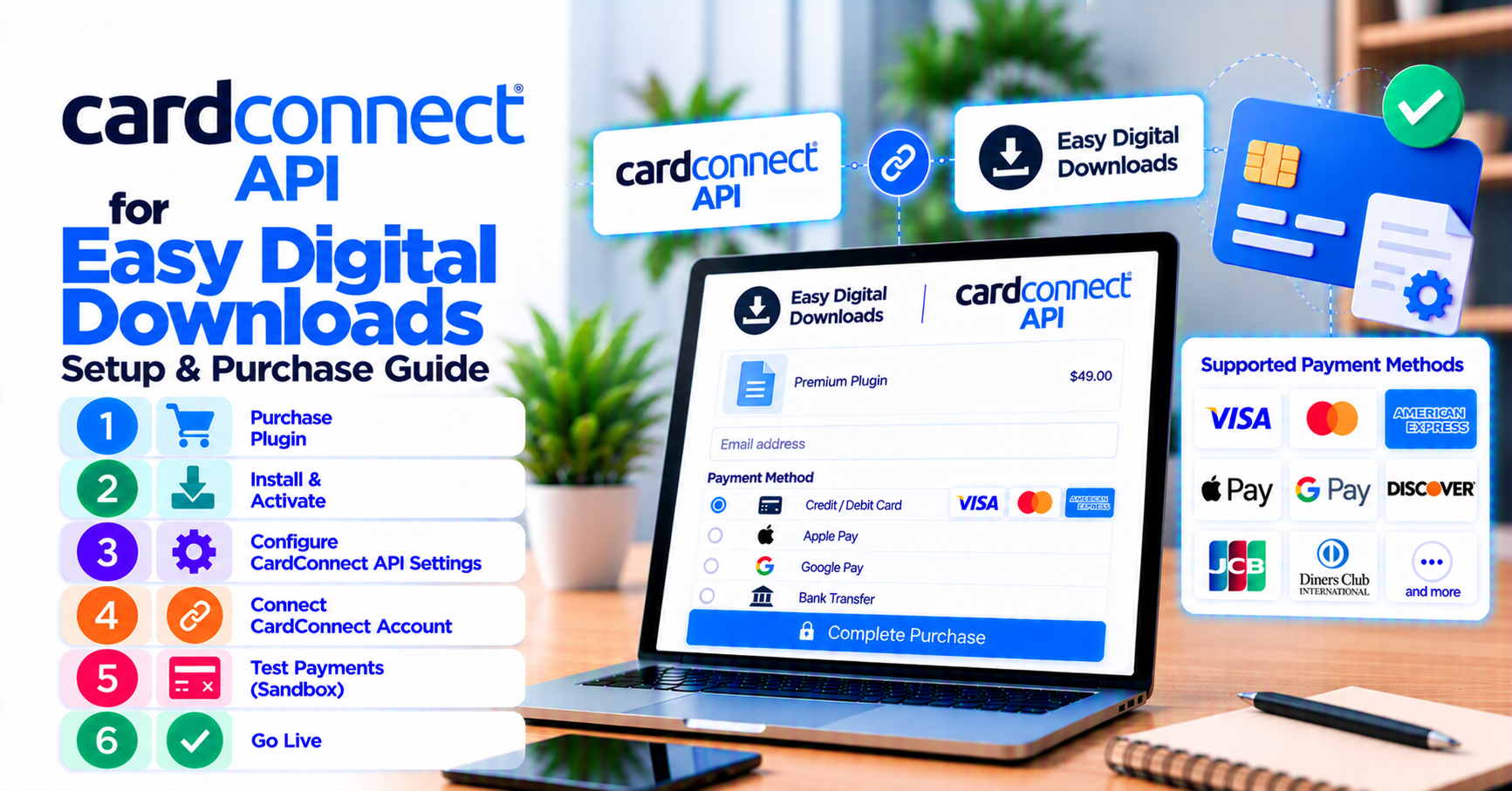
- Purchase CardConnect API for Easy Digital Downloads.
- Upload and activate the plugin on staging.
- Navigate to EDD → Settings → Payment Gateways.
- Enable CardConnect API; enter sandbox credentials.
- Turn test mode on; save settings.
Agencies with fixed launch windows can add plugin installation support for a documented handoff.
3. Configuration essentials
| Setting area | Why it matters for EDD |
|---|---|
| Sandbox vs live | Prevents accidental live charges during QA |
| Tokenization / CardSecure | Keeps PAN out of WordPress database |
| Receipt descriptors | Reduces “unrecognized charge” disputes on digital SKUs |
| Async / webhook URLs | Unlocks downloads if shopper closes browser early |
Cross-check async paths against EDD payment setup for digital products. Exclude checkout and gateway endpoints from page caching.
4. Sandbox test matrix
| # | Scenario | Expected EDD outcome |
|---|---|---|
| 1 | Approved sale | Payment complete; file or license accessible |
| 2 | Declined card | No fulfillment; actionable error |
| 3 | Close tab before receipt | Async completion still grants access |
| 4 | Full refund | Refund visible; access policy matches your policy |
| 5 | Recurring charge (if applicable) | EDD Recurring status synced |
Log gateway transaction IDs beside EDD payment IDs during testing—your future support self will thank you. Methodology: how to test your payment gateway like a pro.
5. Go-live discipline
- Swap to live credentials; disable test mode.
- Run one refundable live transaction.
- Store key rotation procedure in your runbook (who, where, when).
- Keep plugin license renewal active for security and EDD compatibility updates.
6. Post-launch monitoring for EDD + CardConnect
Digital merchants feel payment bugs within minutes—not days. After go-live, monitor:
- Pending payments older than your SLA (often zero for instant downloads)
- Webhook or callback delivery failures in gateway logs
- Email receipt delays that trigger “where is my file?” tickets
- Refund volume spikes that may indicate descriptor or product-description issues
Pair gateway monitoring concepts from webhook monitoring for WooCommerce with EDD-specific payment status reports—even though the cart differs, async failure patterns do not.
7. Common mistakes after purchase
| Mistake | Fix |
|---|---|
| Copying WooCommerce webhook URLs into EDD | Regenerate URLs in the EDD gateway settings |
| Leaving test mode on during marketing launch | Checklist item before announcing sales |
| Caching checkout after “speed optimization” | Exclude payment and confirmation routes |
| Skipping refund test because sales are low | Finance will refund—be ready on day one |
| Ignoring license renewal emails | Set calendar reminder; stale plugins break on EDD updates |
8. Escalation paths
- Processor declines / MID issues → CardConnect support channel.
- Plugin settings / EDD mapping → PatSaTECH support per license terms.
- Non-standard architecture → custom payment gateway integration.
FAQ
Where is the purchase link?
CardConnect API for Easy Digital Downloads
Can I clone settings from WooCommerce CardConnect?
Use the same processor account if allowed, but re-enter settings in the EDD gateway panel and re-run the full matrix.
Partial refunds?
Test the exact partial amount finance uses; confirm EDD payment notes still match CardConnect reports.
Subscriptions?
Follow EDD subscriptions and payment gateways before selling recurring licenses live.
Related reading
- CardConnect API for Easy Digital Downloads — purchase
- Why CardConnect API for Easy Digital Downloads
- Buying a payment gateway plugin for WordPress
- Easy Digital Downloads payment gateways
- PatSaTECH shop