Introduction
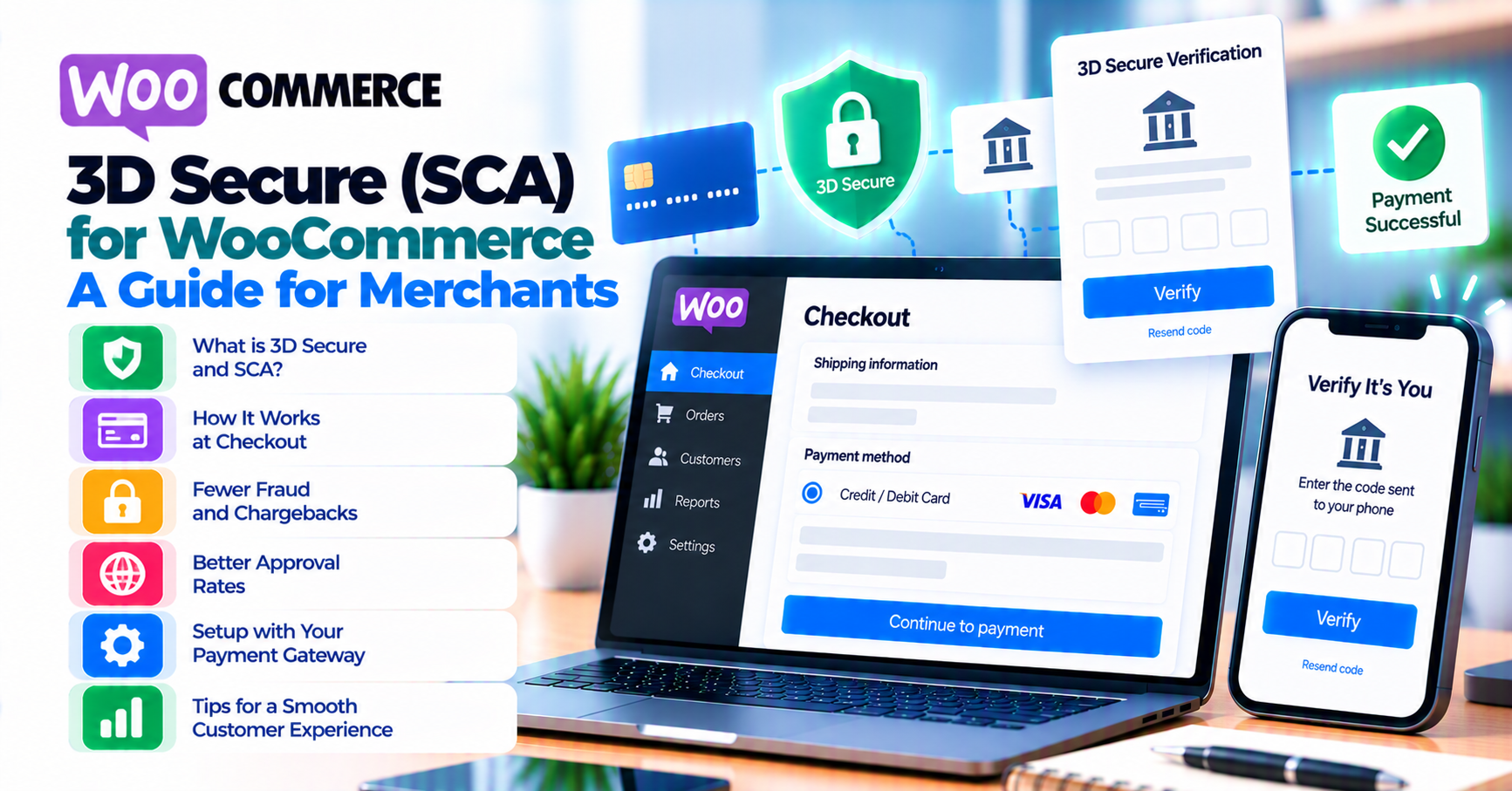
3-D Secure (often 3DS or 3DS2) adds an extra authentication step for many card payments. In the European Economic Area, Strong Customer Authentication (SCA) rules generally require two-factor authentication for electronic payments unless a valid exemption applies. Elsewhere, issuers still route many transactions through 3DS based on risk—not only regulation.
WooCommerce store owners do not “turn off 3DS” in a single toggle responsibly; behavior is negotiated between your gateway, the issuer, and card network rules. What you can do is configure your stack for clear UX, test challenge flows, and monitor completion rates after theme or Blocks checkout changes.
This article links to how 3-D Secure 2.0 improves customer trust, digital wallets on WooCommerce, and WooCommerce Blocks checkout and payment gateways.
Quick answer
3DS is an authentication protocol; SCA is a regulatory requirement in many EU/EEA card payments. Expect frictionless approvals when risk is low and challenge flows (SMS, banking app) when issuers require proof. Merchants should optimize mobile checkout, avoid surprise iframes, and test decline and timeout paths—then measure conversion before blaming “too much security.”
1. What 3DS and SCA are (in practice)
| Term | Plain English |
|---|---|
| 3-D Secure | Protocol for cardholder authentication during online card payments. |
| 3DS2 | Newer version with better mobile UX and more data for risk engines. |
| SCA | Regulatory requirement (e.g. PSD2 in EEA) for two of something you know, have, are—with exemptions for low-value, trusted beneficiaries, etc. |
Your processor and gateway implement 3DS; exemptions and routing depend on region, merchant category code (MCC), and issuer policy—not only your WooCommerce settings.
2. What customers experience
Frictionless: The customer may notice nothing beyond a short delay while risk systems score the transaction.
Challenge: A redirect, iframe, or in-app step with bank branding. Abandonment spikes when the step breaks on mobile, pop-ups are blocked, or copy is opaque (“verify with your bank” with no context). Older devices and strict privacy browsers are common failure points—keep a real device lab, not only desktop Chrome.
Align descriptor and receipt emails so unfamiliar 3DS steps do not trigger chargeback fear—see chargebacks vs refunds.
3. WooCommerce and gateway configuration
- Use supported gateway plugins with documented 3DS behavior for your processor.
- After WooCommerce or Blocks updates, re-test challenge flows—payment failure recovery patterns apply when customers drop mid-challenge.
- HTTPS and mixed content fixes matter: broken scripts can stall 3DS—SSL and insecure checkout.
- If you use a page builder or custom checkout template, confirm the payment fields and 3DS container are not moved inside lazy-loaded sections that never render on first paint.
4. Reducing friction (without disabling security)
- Wallet payments (Apple Pay, Google Pay) often bundle SCA inside the wallet UX—digital wallets article.
- Clear checkout copy (“Your bank may ask you to confirm this payment”) reduces panic abandonment.
- Fraud rules that decline before 3DS can waste good orders—see fraud screening and false positives (companion August article).
- Keep customer support scripts updated: agents should explain that a short bank step is normal, not a duplicate charge.
5. Exemptions, routing, and who decides
Exemptions (low-value, recurring, trusted beneficiary, etc.) are not something you “toggle in WooCommerce” without processor alignment. The acquirer, gateway, and scheme rules determine what can be requested and when issuers still step up authentication anyway.
Document your target markets: EEA transactions face different defaults than US-domestic traffic. If you expand to new countries, re-validate 3DS completion rates by currency and card brand in payment gateway analytics before changing marketing spend.
Liability shift (when authentication succeeds) is a separate question from UX—finance and risk should read your processor’s program guide, not blog posts alone.
6. Testing 3DS flows
Use sandbox cards that trigger challenge vs frictionless per processor docs. Log correlation IDs in order notes; compare to the gateway dashboard. Retest after CDN, cookie consent, or ad-blocker-adjacent extensions that affect third-party iframes.
Add a quarterly regression: one frictionless path, one challenge path, one intentional decline, and one timeout simulation if your test harness supports it. Pair with webhook monitoring so order status updates still fire when the customer returns from the bank.
FAQ
Can we disable 3DS for all orders?
Usually not for regulated regions; elsewhere issuer behavior may still force authentication. Risk and compliance teams should decide—not marketing alone.
Does 3DS guarantee no fraud?
No—it reduces certain attack types; friendly fraud and account takeover still exist.
Where do exemptions come from?
Acquirer, gateway, and scheme rules—ask your processor for a written summary for your markets.
Why did completion drop after we changed themes?
Often JavaScript load order, missing mobile viewport meta, or checkout fields that no longer match gateway expectations. Compare before/after 3DS funnel in gateway reporting.
Should B2B card checkouts behave the same as B2C?
Not always—see B2B invoicing vs card checkout for flows where invoice terms compete with card SCA.
What logging should we keep for disputes?
Order ID, gateway transaction reference, 3DS version indicator if exposed, timestamp of challenge completion, and customer user-agent for mobile failures—your processor can tell you which fields they expect in escalation tickets.