Introduction
- Introduction
- 1. Before purchase: align with Cardstream and EDD
- 2. Purchase and enable on staging
- 3. Hosted return URL checklist
- 4. Sandbox test matrix
- 5. Production cutover
- 6. Email receipts and support macros
- 7. License renewal and plugin updates
- 8. When the hosted plugin is not enough
- FAQ
- Related reading
Cardstream Hosted Form sends shoppers to a secure payment page, then back to your EDD confirmation flow. Setup errors show up as revenue with no file access—the worst support ticket for digital goods.
This guide is the setup-and-buy companion to why Cardstream Hosted Form for EDD. When tests pass, buy from the official product page. Other EDD processors are listed in the category hub; the full catalog is at patsatech.com/shop.
1. Before purchase: align with Cardstream and EDD
Confirm:
- Hosted Form (not a different Cardstream product) matches your boarding docs.
- Sandbox and live Store ID / authentication values from Cardstream.
- EDD, WordPress, and PHP within compatibility on the product listing.
- HTTPS on checkout and return routes.
- Currency codes match your digital price list.
Use buying a payment gateway plugin for WordPress if you are still in evaluation mode.
2. Purchase and enable on staging
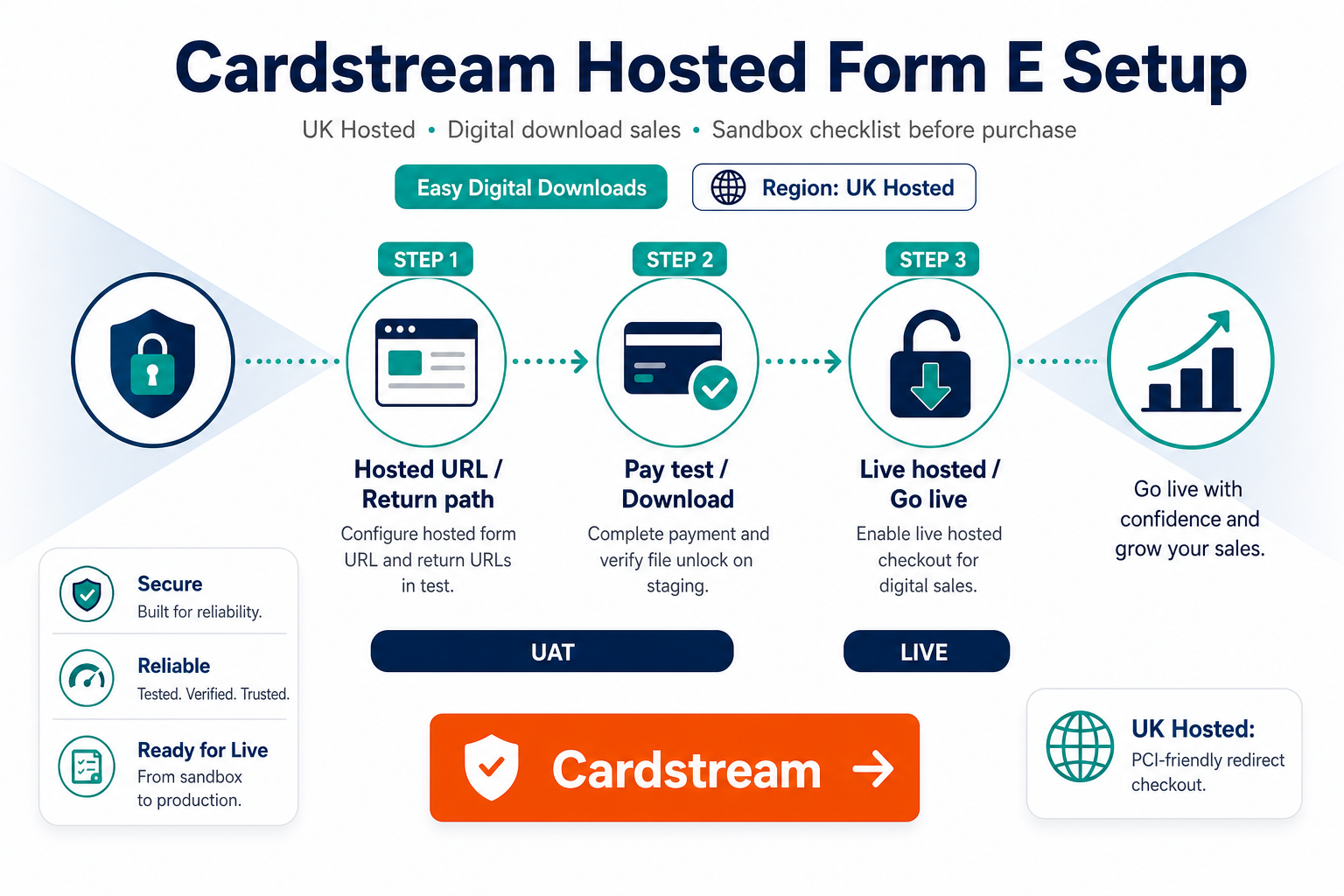
- Buy Cardstream Hosted Form for Easy Digital Downloads.
- Install and activate on staging.
- Open EDD payment gateway settings; enable Cardstream Hosted Form.
- Paste sandbox credentials; enable test mode.
- Save; clear object cache if your host uses one.
Agencies: add plugin installation support when the client deadline is fixed and internal WordPress capacity is booked.
After sandbox passes: document the Store ID, callback URLs, and test transaction IDs in the client handoff PDF—hosted gateways fail most often when URLs drift during DNS cutover.
3. Hosted return URL checklist
Hosted integrations fail silently when URLs drift between environments.
- [ ] Success URL points to the EDD confirmation route on the same hostname customers used to check out
- [ ] Failure / cancel URL returns shoppers to a sensible retry path
- [ ] Callback / notification URL (if required) is publicly reachable and not cached
- [ ] Staging uses staging hostnames in Cardstream portal and WordPress
- [ ] WAF or security plugins allow Cardstream IP ranges if documented
Digital fulfillment guidance: EDD payment setup for digital products.
4. Sandbox test matrix
| Test | Pass criteria |
|---|---|
| Successful hosted payment | EDD payment complete; download available |
| Declined card | No access granted; clear error |
| User closes browser mid-flow | Callback still completes payment when applicable |
| Refund in gateway | EDD record reflects refund policy you configured |
| Email receipt | Totals match Cardstream auth amount |
Document each Cardstream transaction reference next to the EDD payment ID in your test log.
5. Production cutover
- Enter live Store ID and secrets.
- Disable test mode.
- Process a small live purchase; refund it.
- Monitor first 72 hours for pending payments stuck without downloads.
- Keep plugin license renewed for API compatibility fixes.
6. Email receipts and support macros
Hosted checkout does not reduce customer anxiety after purchase. Before switching live, send a test EDD receipt email through your SMTP provider and confirm:
- Total and currency match the Cardstream authorization
- Order reference matches what support sees in EDD admin
- Download link appears in the same email thread customers search for
Prepare support macros that ask for EDD payment ID and Cardstream transaction reference together—cutting duplicate tickets when shoppers claim they paid.
7. License renewal and plugin updates
After go-live, schedule quarterly sandbox retests following EDD or Cardstream changes—not only when checkout breaks. Keep the PatSaTECH license active so security and compatibility fixes reach your site before peak sales periods.
8. When the hosted plugin is not enough
Choose custom payment gateway integration for headless frontends, marketplace payouts, or custom metadata Cardstream must receive on every digital SKU.
FAQ
Primary purchase URL?
Cardstream Hosted Form for Easy Digital Downloads
Same plugin as WooCommerce Cardstream?
Separate EDD SKU—do not assume settings portability.
Caching broke my test—what now?
Exclude checkout, confirmation, and gateway callback paths; retest browser-close scenario.
Subscriptions?
See EDD subscriptions and payment gateways.
Related reading
- Cardstream Hosted Form for Easy Digital Downloads — purchase
- Why Cardstream Hosted Form for Easy Digital Downloads
- How to test your payment gateway like a pro
- Easy Digital Downloads payment gateways
- PatSaTECH shop