


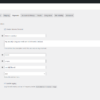
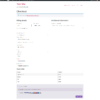
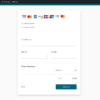
Enhance your WooCommerce store’s payment experience with the Moneris Checkout Gateway for WooCommerce plugin. Seamlessly integrate Moneris Checkout into your online store to offer customers a secure, efficient, and user-friendly payment option directly on your website.
About Moneris Checkout:
Moneris Checkout is a leading payment processing solution trusted by businesses across North America. It provides a comprehensive platform for accepting online credit card payments, backed by advanced security features to protect merchants and customers. With Moneris Checkout, you can offer a smooth checkout experience that supports multiple payment methods and currencies, catering to a wide range of customer preferences.
Key Features:
- Seamless Integration: Connect your WooCommerce store with Moneris Checkout effortlessly—no coding skills required.
- Secure Transactions: Benefit from Moneris’s robust security measures, including encryption and fraud prevention tools, ensuring all transactions are safe and PCI compliant.
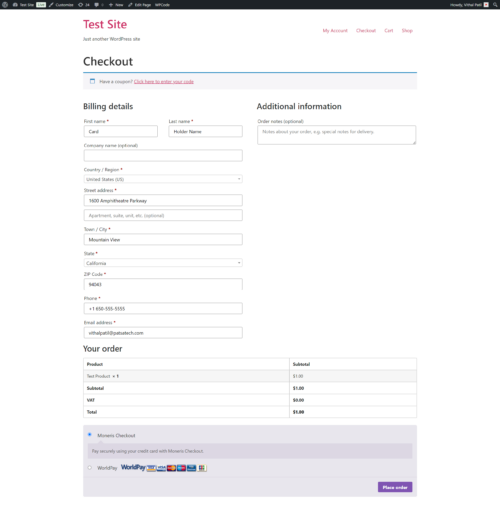
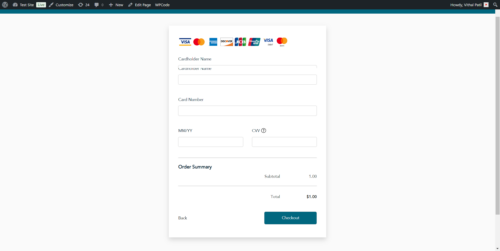
- Multiple Payment Options: Accept major credit cards like Visa, MasterCard, American Express, and Discover, providing flexibility to your customers.
- Customizable Checkout: Tailor the checkout interface to match your brand’s look and feel, enhancing customer trust and recognition.
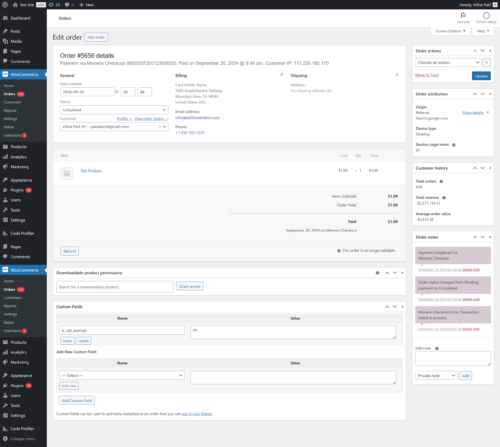
- Real-Time Transaction Monitoring: Access up-to-date transaction data and detailed reports within your WooCommerce dashboard for better business insights.
- Support for Test and Live Environments: Easily switch between sandbox and production modes to test features without affecting actual transactions.
- Bilingual Support: Offer checkout experiences in both English and French to cater to a broader Canadian audience.
Benefits of Using Moneris Checkout Gateway for WooCommerce:
- Enhanced Customer Trust: A secure and familiar payment gateway increases customer confidence, encouraging them to complete purchases.
- Improved Conversion Rates: A streamlined and efficient checkout process reduces cart abandonment, boosting sales.
- Regulatory Compliance: Compliance with industry standards and regulations, including PCI DSS requirements.
- Dedicated Support: Access professional customer support to assist with setup and any technical issues that may arise.
Get Started Quickly:
- Easy Installation: Download and install the Moneris Checkout Gateway plugin from your WooCommerce dashboard.
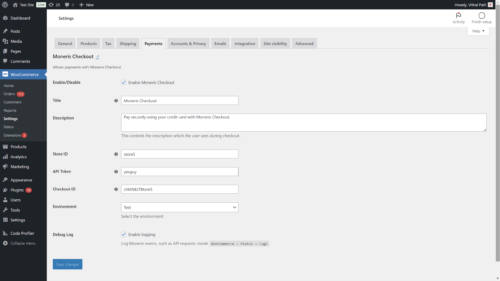
- Simple Configuration: Enter your Moneris Store ID, API Token, and Checkout ID in the settings page.
- Ready to Accept Payments: Start processing payments securely and efficiently on your WooCommerce store.
Take Your Online Store to the Next Level
By integrating the Moneris Checkout Gateway for WooCommerce, you can provide customers with a trusted and seamless payment experience, setting your business apart in today’s competitive e-commerce landscape. Today, you can enhance security, improve user satisfaction, and increase conversions.
Requirements:
- An active Moneris merchant account with access to the Moneris Checkout API.
- WooCommerce version 4.0 or higher.
- WordPress version 5.2 or higher.
Note: Ensure your Moneris account is set up correctly for either test or production mode, matching the plugin’s environment settings.
Support and Updates:
We are committed to providing regular updates to improve functionality and security. If you have any questions or need assistance with setup, please get in touch with our support team or refer to the detailed documentation included with the plugin.
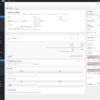
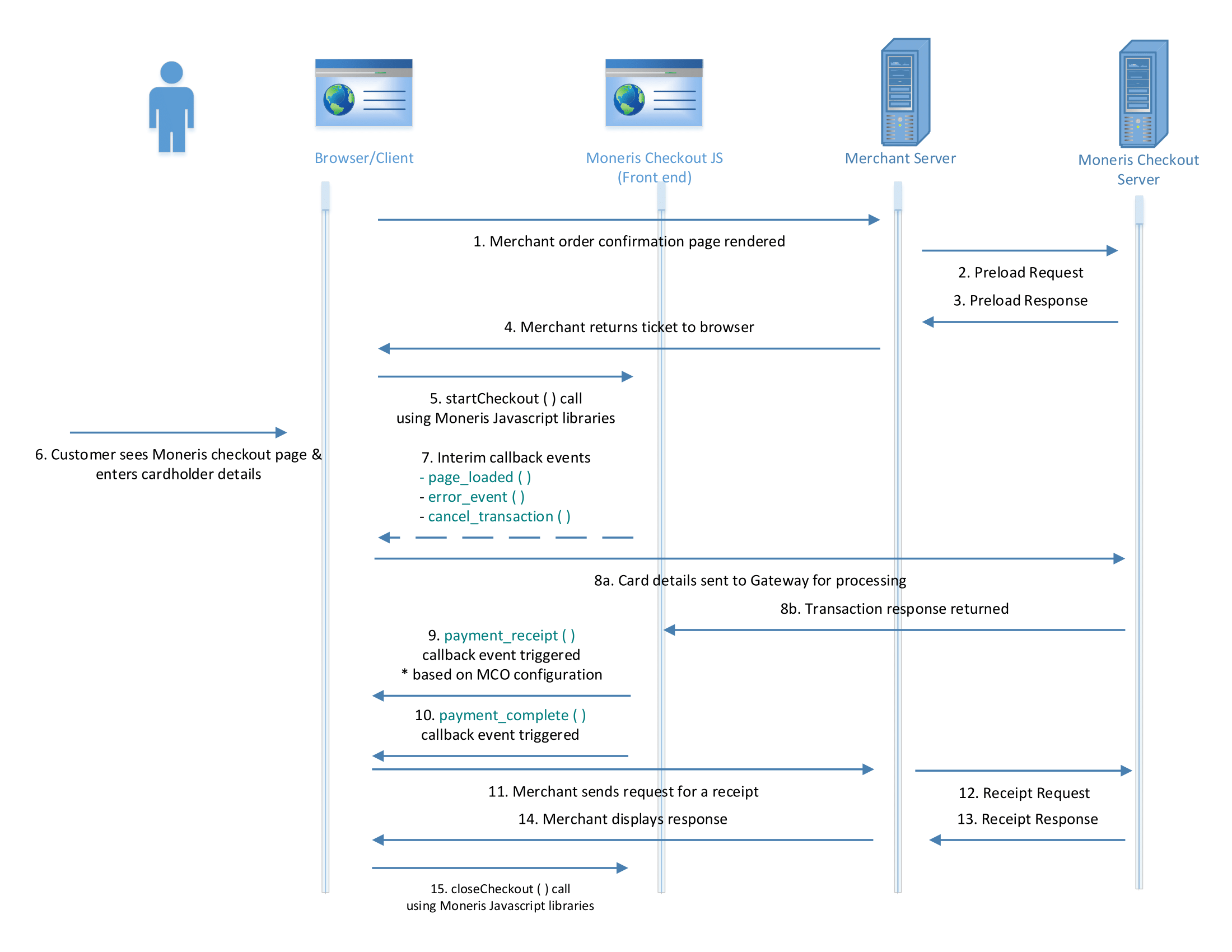
Moneris Checkout Transaction Process Flow













Devon N. –
The docs explained credential fields clearly. Nothing about the WooCommerce integration felt bolted on. I leaned on documentation more than trial-and-error. Recommended if you’re already boarded with a matching processor.
Harper D. –
We install gateways for clients; this one reduced go-live risk. We kept a short go-live checklist and this plugin cleared it. Sandbox tests covered approve, decline, and a partial refund. Ease of configuration beat our last gateway add-on.
Quinn S. –
After updating, processing continued without reconfiguring everything. Beginner tip: finish sandbox before touching live keys. Updates are part of why we pay for maintained software. No regrets switching to this.
Alex H. –
Agency checklist item: staging tests passed before client launch. Nothing about the WooCommerce integration felt bolted on. Works well after the first careful setup. Paying for maintained software beat babysitting a fork. Technical note: hooks and order meta behaved as expected.
Skyler B. –
I’d rather maintain a plugin update channel than a private fork. Business-owner view: fewer abandoned carts at payment. Nothing about the WooCommerce integration felt bolted on. Quietly competent — that’s the compliment.
Cameron D. –
Uploaded and activated on WooCommerce without a hitch. Business-owner view: fewer abandoned carts at payment. Sandbox tests covered approve, decline, and a partial refund. This is what maintained software should feel like.
Drew G. –
Integration depth is better than a bolted-on redirect hack. I double-checked amounts in our processor against WooCommerce orders. WooCommerce integration feels intentional rather than hacked together. Recommended if you’re already boarded with a matching processor.
Blake L. –
Uploaded and activated on WooCommerce without a hitch. Refunds from admin saved a few support tickets already. Installation itself was uneventful on WooCommerce. Solid keep in our stack.
Micah K. –
We install gateways for clients; this one reduced go-live risk. Refunds from admin saved a few support tickets already. Renewal is an easy yes. Asked about admin refunds; response was specific and actionable. Compared with a DIY gateway script, this is less fragile.
Finley B. –
The docs explained credential fields clearly. Refunds from admin saved a few support tickets already. I leaned on documentation more than trial-and-error. Happy with the purchase so far.
Reese M. –
Lightweight and stays out of the way. Smoke test batch 45 looked clean. Our theme developer had almost nothing to patch.
Reese D. –
Credential mapping finally made sense after the docs. That alone justified keeping the license active. ⭐
Harper D. –
Settings are grouped in a way that makes sense. Business-owner view: fewer abandoned carts at payment. This is what maintained software should feel like.
Finley U. –
Validated auth/capture against the gateway account. Compared with a DIY gateway script, this is less fragile. Recommended if you’re already boarded with a matching processor.
Devon H. –
Revenue continuity beats fancy admin screens. Feature note: easy Installation is actually usable, not just listed. Would use again on the next build.
Blake A. –
Keeps earning its spot despite small friction.
Jamie G. –
Compatible with the extensions we already rely on. Compared with a DIY gateway script, this is less fragile. We care about compatibility more than marketing screenshots. Does exactly the unglamorous job we needed.
Drew H. –
Order statuses line up with how we fulfill.
Elliot E. –
This plugin does the job without admin clutter.
Taylor K. –
Cheaper than paying a developer to maintain custom gateway code. Technical note: hooks and order meta behaved as expected. Recommended if you’re already boarded with a matching processor.
Finley P. –
Works well after we mapped credentials carefully.
Cameron K. –
Sandbox vs live toggle removed a common footgun. Sandbox tests covered approve, decline, and a partial refund. Ease of configuration beat our last gateway add-on. Gets there, but the first hour asks for patience. Changelog updates felt intentional, not random churn.
Quinn B. –
Options around transaction types matched our ops flow. Voice-wise I’m a store owner; I mainly care that money moves. Recommended if you’re already boarded with a matching processor. 🙌
Jamie L. –
Revenue continuity beats fancy admin screens. We kept a short go-live checklist and the extension cleared it. Support experience was better than forum archaeology. Happy with the purchase so far.
Jamie G. –
Reliability has been the main reason we kept it. Business-owner view: fewer abandoned carts at payment. Stability over weeks matters more than day-one dazzle. Does exactly the unglamorous job we needed.
Jamie S. –
As a beginner, clear settings mattered more than advanced flags. I care less about bells and whistles than clean captures. Business-owner view: fewer abandoned carts at payment. Happy with the purchase so far. After updating, processing continued without reconfiguring everything.
Logan G. –
I’d rather maintain a plugin update channel than a private fork. Feature note: hosted payment pages is actually usable, not just listed. Reliability is why this stays enabled. Does exactly the unglamorous job we needed. From a code-review mindset, the integration is tidy enough. 💯
Hayden D. –
Install took a couple of minutes on our WooCommerce site. Nothing about the WooCommerce integration felt bolted on. Keeping it enabled without second thoughts.
Alex C. –
As a beginner, clear settings mattered more than advanced flags. Compared with a DIY gateway script, this is less fragile. Voice-wise I’m a beginner; I mainly care that money moves. Stability over weeks matters more than day-one dazzle. Overall positive, with setup friction as the main ding.
Blake D. –
Update routine for this gateway plugin has been low-stress. Nothing about the WooCommerce integration felt bolted on. Would use again on the next build. I followed the setup guide and didn’t get stuck on naming. Sandbox tests covered approve, decline, and a partial refund.
Rowan C. –
Uploaded and activated on WooCommerce without a hitch. We kept a short go-live checklist and this gateway plugin cleared it. We care about installation more than marketing screenshots. A couple of polish items away from perfect. Settings are grouped in a way that makes sense.
Micah G. –
Docs covered sandbox vs live without hand-waving. We kept a short go-live checklist and the add-on cleared it. I leaned on documentation more than trial-and-error. No regrets switching to this. The docs explained credential fields clearly.
Reese L. –
Three stars for a patient staging afternoon.
Morgan M. –
Even a non-dev teammate could finish basic setup. Developer view: less glue code to own long-term. Ease of configuration beat our last gateway add-on. Happy with the purchase so far.
Blake P. –
Hooks into WooCommerce the way a proper gateway should. I care less about bells and whistles than clean captures. Solid keep in our stack.
Micah K. –
Validated auth/capture against the gateway account. Developer view: less glue code to own long-term. Customization around transaction logging covered our case. Renewal is an easy yes.
Skyler C. –
Activation of the add-on was boring in the best way. Beginner tip: finish sandbox before touching live keys. Feature note: enhanced Customer Trust: A secure and familiar payment gateway increases customer confidence, encouraging them to complete purchases. is actually usable, not just listed.
Drew N. –
Keeps earning its spot despite small friction. The admin experience stayed calm under load. 👌
Blake M. –
Reliable day-to-day; settings labels could be clearer.
Casey J. –
Maintenance cadence looks healthier than abandoned forks. Technical note: hooks and order meta behaved as expected. Agency handoff was easier because settings are readable. Updates are part of why we pay for maintained software.
Morgan K. –
Ticket help unblocked our go-live checklist. Agency handoff was easier because settings are readable. Support experience was better than forum archaeology. Almost five stars; docs could use one more edge case.
Morgan K. –
Paying for maintained software beat babysitting a fork. Sandbox tests covered approve, decline, and a partial refund. I care less about bells and whistles than clean captures. Quietly competent — that’s the compliment.
Harper P. –
As a beginner, clear settings mattered more than advanced flags. Sandbox tests covered approve, decline, and a partial refund. We kept a short go-live checklist and this gateway plugin cleared it. I’d like richer decline logging, but it’s fine.
Casey V. –
Agency checklist item: staging tests passed before client launch. I double-checked amounts in our payment provider against WooCommerce orders. Keeping it enabled without second thoughts.
Rowan R. –
Update routine for this plugin has been low-stress. We kept a short go-live checklist and this plugin cleared it. I double-checked amounts in the merchant account against WooCommerce orders. Updates are part of why we pay for maintained software. Minor label confusion, otherwise dependable.
Casey W. –
Support pointed us to the exact docs section we needed. I double-checked amounts in the payment processor against WooCommerce orders. I’d like richer decline logging, but it’s fine. From a code-review mindset, the integration is tidy enough. Sandbox tests covered approve, decline, and a partial refund.
Cameron T. –
Support clarified a setting without the runaround. We kept a short go-live checklist and the payment module cleared it. Happy with the purchase so far. 🚀
Riley S. –
Store-owner test: can staff refund without calling me? Sandbox tests covered approve, decline, and a partial refund. We care about integration more than marketing screenshots. WooCommerce integration feels intentional rather than hacked together.
Alex D. –
Even a non-dev teammate could finish basic setup. Business-owner view: fewer abandoned carts at payment. Ease of configuration beat our last gateway add-on. Good tool with a short learning curve.
Finley S. –
Docs covered sandbox vs live without hand-waving. Beginner tip: finish sandbox before touching live keys. I care less about bells and whistles than clean captures. I leaned on documentation more than trial-and-error.
Avery T. –
Onboarding average, reliability above average.
Alex P. –
Docs got us live without guessing field names. Test matrix item #51 passed on staging. The learning curve flattened after one staging session.
Devon M. –
Could adjust labels and behavior enough for our brand. Technical note: hooks and order meta behaved as expected. Customization around support for Test and Live Environments: Easily switch between sandbox and production modes to test features without affecting actual transactions. covered our case.
Riley S. –
I just want customers to pay and orders to show paid. 🙂 Beginner tip: finish sandbox before touching live keys. Usable, but plan time for first-time credential mapping.